Zoom Sessions with Production Studio
Create dynamic, high production value events with ease.
Production Studio works with Zoom Events and Zoom Sessions
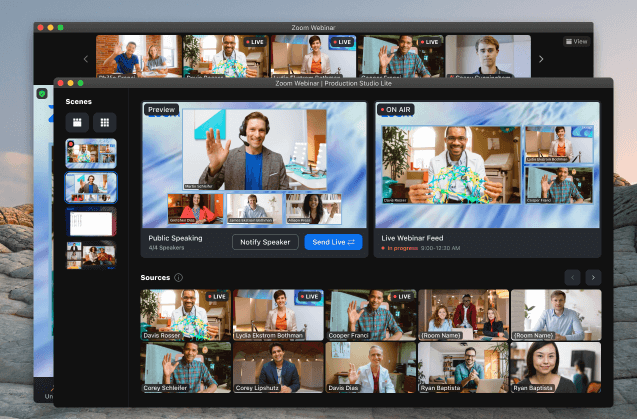
Making an impressive virtual event with different speaker layouts, custom graphics, and more used to be expensive and require significant expertise. But now, Zoom Production Studio makes it easy to pull off a polished, sleek virtual event. Production Studio works with Zoom Events and Zoom Sessions. You can set it all up before the event, or do it on the fly during the event.
Pro tip
Make sure attendees join with Zoom desktop or mobile client, version 5.13.0 or higher, to be able to see the full experience!
Create scenes
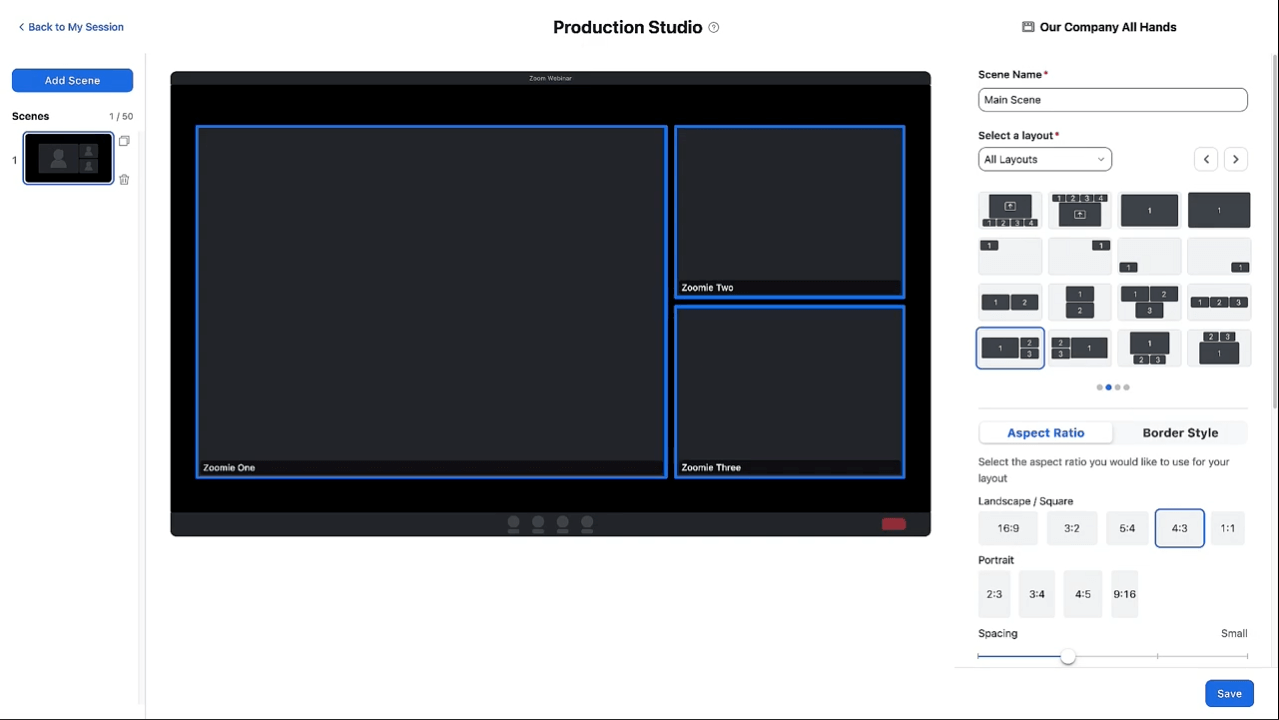
When creating your next event, check out Production Studio. You can create up to 50 different scenes using your desired layout, custom wallpaper, borders, and aspect ratio. Switch up your layout between scenes for a dynamic feel, and give scenes names so you can easily find them during the event.
Featured products
Using Production Studio in a Session
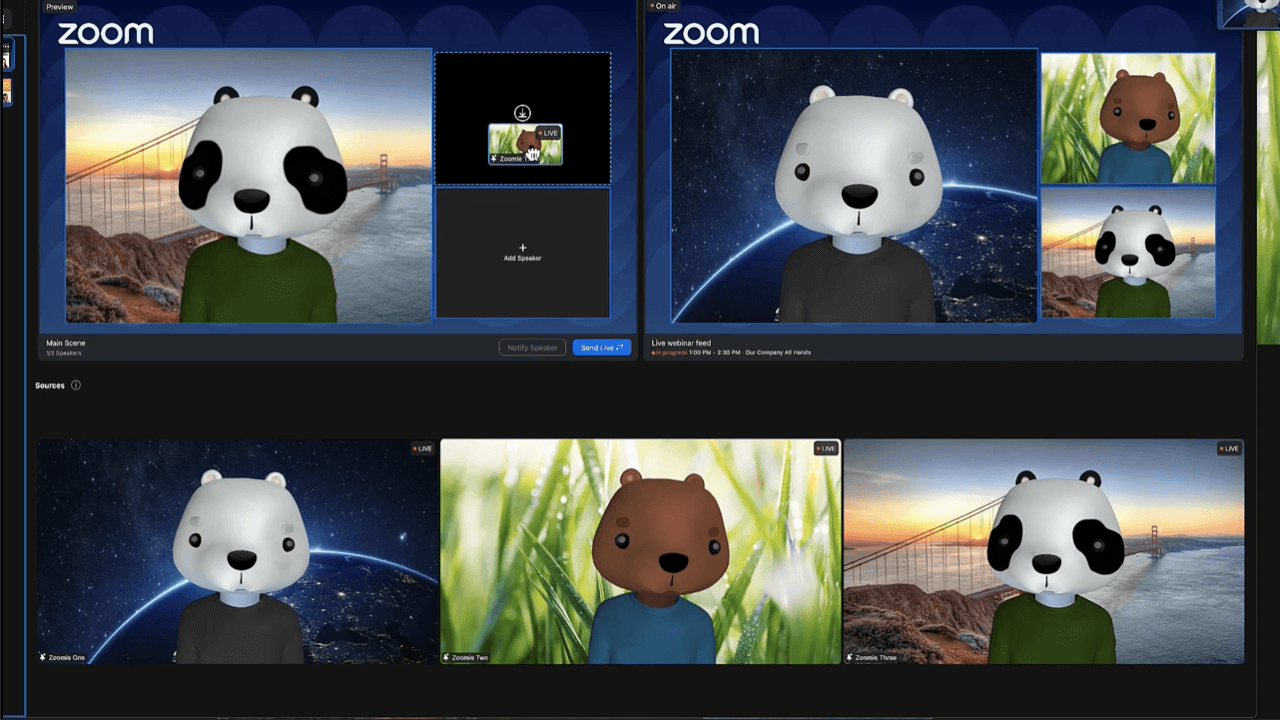
Once in Production Studio, you can toggle between your desired scenes. Edit a preview of your next scene and make sure it’s perfect before sending it to your live feed. Moving speakers around is as easy as clicking and dragging, or selecting options from a dropdown menu in each video tile. Make sure everyone is ready for showtime with the option to Notify Speaker before they go live.
Featured products
Tour Summary
All resources
Additional Resources
Blog resources
Ready to take your communication and collaboration to the next level?
Sign up for a demo today!
